
FAQ: Common Asset Mapping Mistakes
Most mapping issues are simple mistakes in ordering or mismatched settings.
This FAQ explains the most common ones and how to fix them quickly.
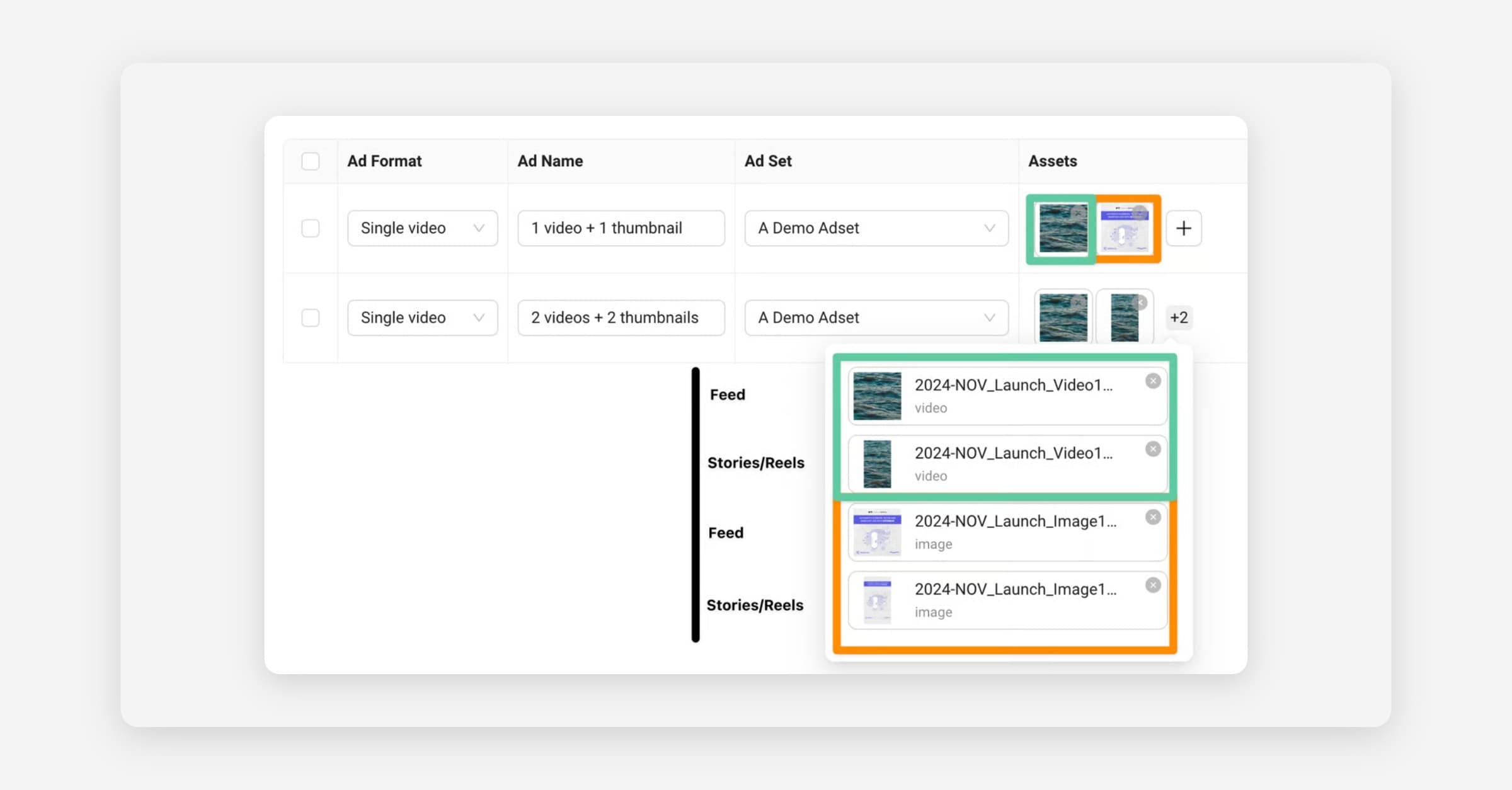
When you upload assets to a Launch Sheet, Kitchn decides where each asset will appear based on two things:
The order of your assets in the sheet (position 1, 2, 3)
Your Placement Customization settings
This means that if an asset has the “wrong” aspect ratio for its position, or if the placement settings don’t match the assets you added, your ads may show the wrong creative in certain placements (for example, a 4x5 in landscape, or a 1x1 in Stories).
Most mapping issues are simple mistakes in ordering or mismatched settings.
This FAQ explains the most common ones and how to fix them quickly.
Why did my 4x5 asset appear in landscape placements?
Because your Placement Customization settings expect a 16x9 asset in position 3, but you uploaded a 4x5. Kitchn doesn’t change your settings automatically, so the asset goes where position 3 normally maps.
Fix: Update the placement settings or reorder your assets.
Why is my 9x16 asset appearing in Facebook Feed?
This usually means the 9x16 is in position 1, where we expect a 1x1. Position 1 = square placements.
Fix: Swap the positions so 1x1 is first and 9x16 is second.
Why is my 1x1 being used in Stories?
Because the positions are reversed:
9x16 should be position 2
1x1 should be position 1
Fix: Switch asset positions.
What happens if I upload only two assets but none is 9x16?
Your sheet won’t have a valid Stories/Reels asset. Meta will stretch or crop the default asset.
Fix: Upload a 9x16 file or remove the placements.
What if I upload three assets: 4x5, 9x16, and 1x1 but in the wrong order?
Kitchn will follow your current position logic, so the results may be unexpected.
Fix: Put them in this order: 1x1 → 9x16 → 16x9/4x5 depending on your setup.
How do I know which asset goes to which placement?
Was this helpful?