
Kitchn changelog
Mid-December Updates
Launch is expanding beyond Meta. This update introduces early access to TikTok Launch, plus improvements to help teams build and scale campaigns more efficiently.
🔥 TikTok Launch V1 (Early Access)
You can now launch and manage TikTok campaigns directly from Kitchn, using the same structured workflow you already trust for Meta. TikTok Launch lets you plan, build, and publish campaigns in one place, without jumping between tools or rebuilding setups from scratch.
You can duplicate campaigns and ad groups, choose supported TikTok ad formats, and create app or Instant Page ads with built-in validation. The goal is to reduce setup friction while keeping full control over structure and consistency.
Why this is great?
Reuse proven campaign and ad group structures instead of rebuilding everything
Duplicate setups across markets or tests in seconds
Catch errors early with validation before upload
Keep all your launches in one unified workflow, alongside Meta
This is an early access V1 and we’re improving it every day. We already have a small group of teams using it, and we’d love to open it up to more real-world use cases.
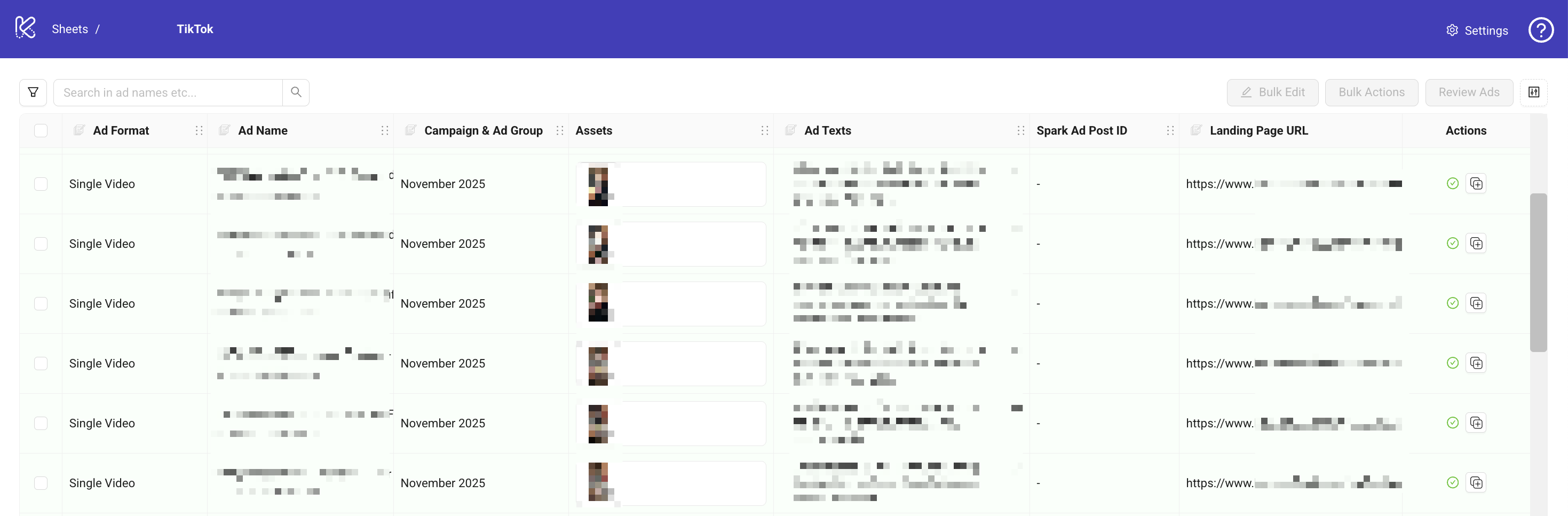
If you’d like early access to TikTok Launch, reach out to us at [email protected] 💬
Bulk Edit in column headers now works for TikTok in the same way you already use it for Meta. You can edit supported fields directly from the column header, apply changes across multiple rows, and keep your structures consistent without repetitive manual updates.
This is especially useful when adjusting live tests, rolling out changes across markets, or cleaning up drafts before launch.
✨ Improvements
Placement customization info is now surfaced directly in the creation flow, making it clearer how placements behave before publishing. Learn about avoiding common mistakes here.
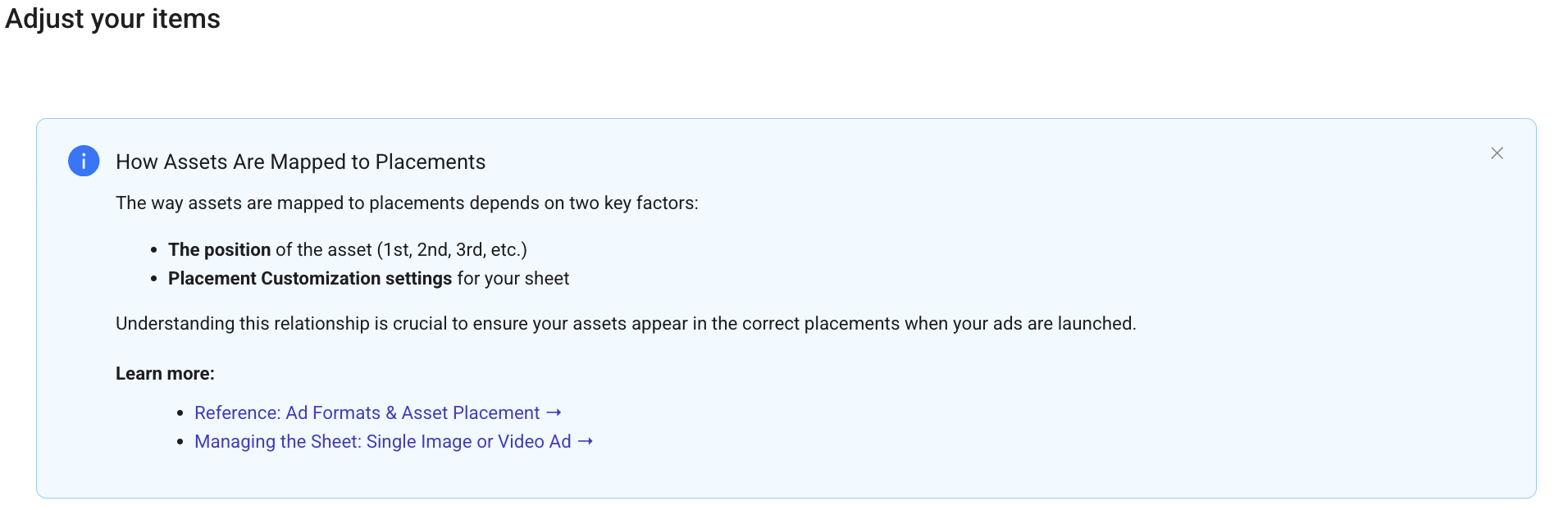
Unlimited Ads per Sheet
Say goodbye to the 300-item limit. We’ve unlocked truly unlimited Launch Sheets, so you can manage large-scale accounts in one place.
Small Fix
Exported data from the launch sheet now includes column headers to make downstream analysis easier
🧪 Alpha - In Progress
We’re continuing to test new Launch Sheet capabilities built for faster scaling and smarter naming systems:
Account Analytics: Ads Published per Month 🔥
We’re tracking the number of ads published per account each month.
This gives teams clearer performance insights reporting tied to creation volume and usage of Kitchn.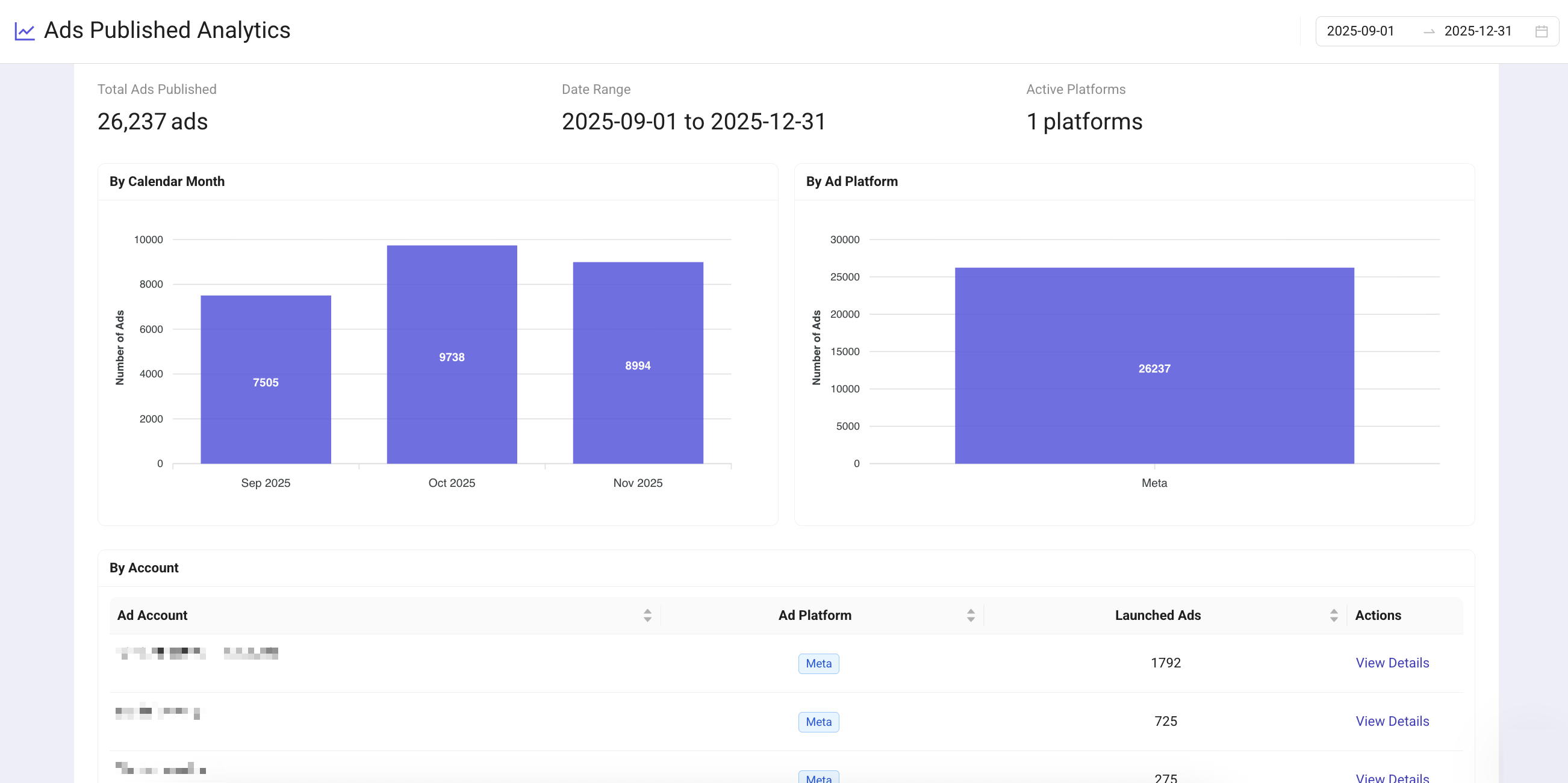
If you’d like early access to test these features, reach out to us! 💬
Introducing Column-Based Bulk Edit & Flexible Naming Templates
🆕 Bulk Edit from Column Headers
You can now bulk-edit ads directly from any column header. This will replace the old multi-step dropdown flow and makes updates much faster and easier for anyone working with dozens or hundreds of ads.

Why this is great?
1 click instead of 4 to start a bulk edit
The tool remembers your last Bulk Edit field, making repeated changes (copy updates, format switches…) much quicker
Still unsure how to use it? Take a look at the documentation here →
🆕 Ad Naming Templates + Custom Columns (Beta)
Build dynamic, consistent ad names directly inside Kitchn: without spreadsheets, formulas, or manual copy-paste. You can now also use your own Custom Columns (text or dropdown) to generate smart naming structures that adapt to your workflow.
This is ideal for teams managing multiple markets, offers, detailed naming conventions per client or simply multiple creative batches.

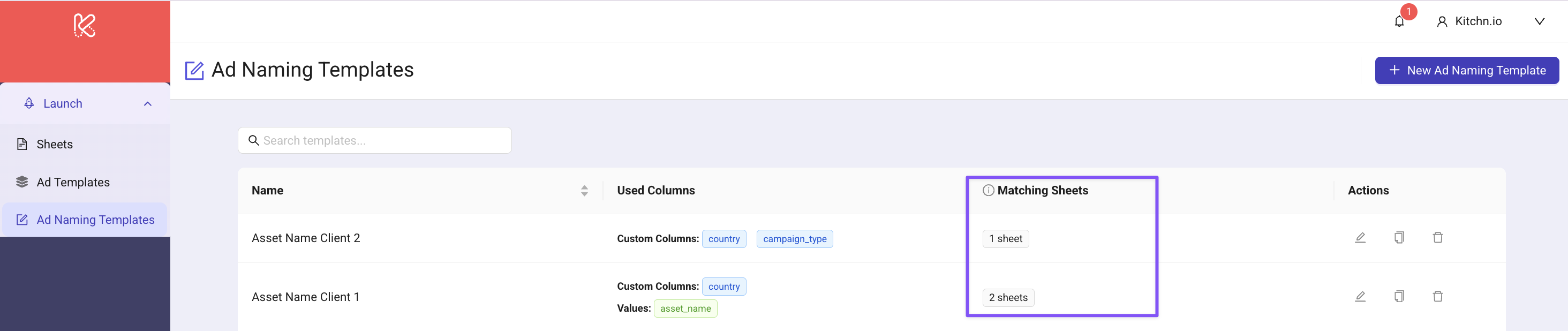
Why this is useful?
No more external spreadsheets to maintain naming rules
Add essential organising fields like country, offer, funnel stage, etc.
Keep Launch Sheets clean, structured, and easy for teams to follow
Included in the Beta
Central Ad Naming Template management section: You can share templates across launch sheet
Simple builder with variable selection (no formulas needed)
Add new dropdown values directly from the sheet
Example structure
[country]_[asset_name]_[offer]
(or any naming pattern your team follows)
If you'd like access to the Beta, message us. We’d love your feedback. 💬
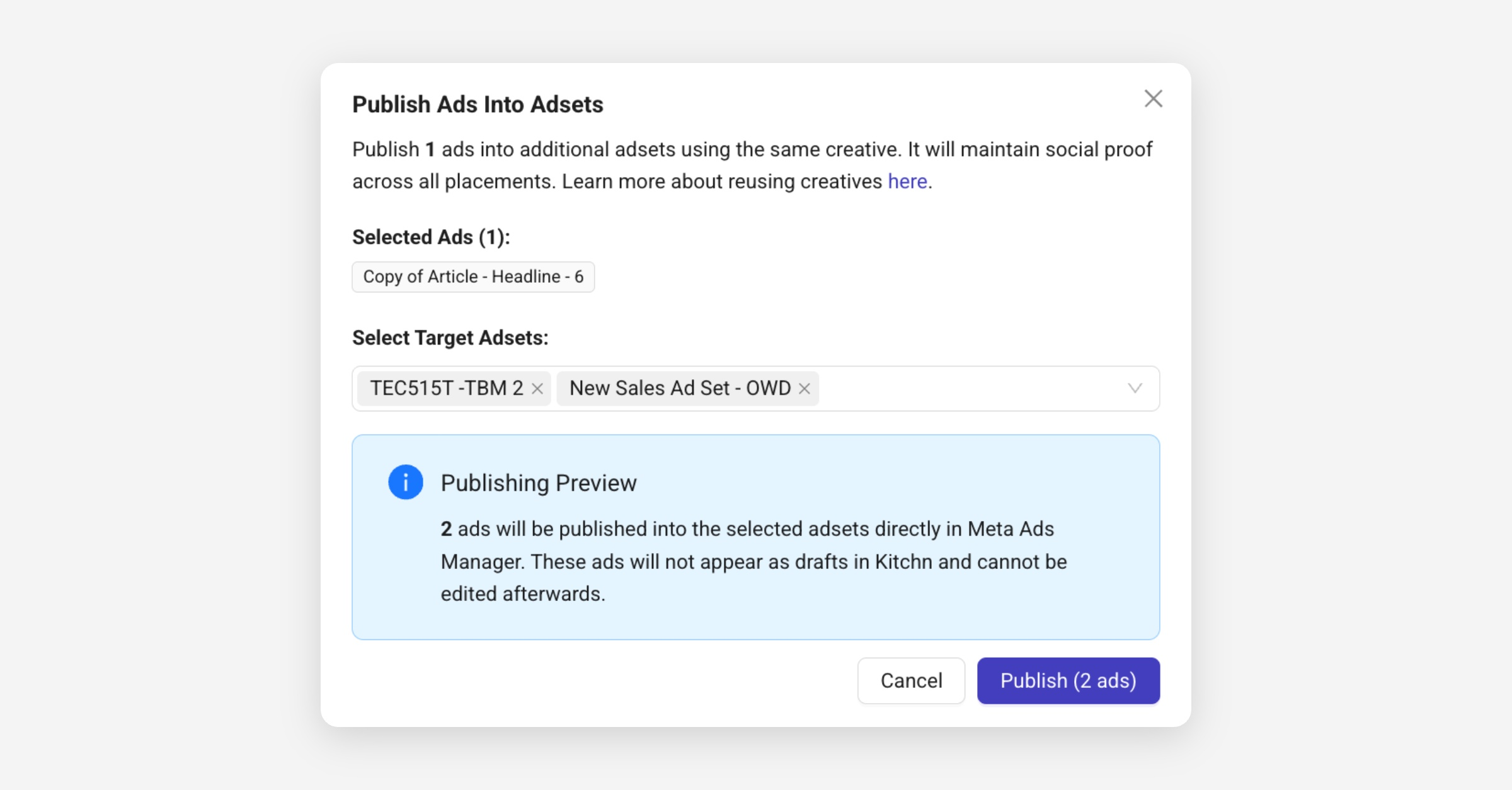
🔁 Ad Duplication (Beta)
Easily duplicate existing ads in multiple adsets while preserving social proof and comments.
Why this matters?
Reuses the creative ID → keeps social proof across placements
Easier and more reliable than reusing Post IDs:
🔗 Stop obsessing over Post IDs & Read the blog post →Ideal for scaling a winning ad into new ad sets without rebuilding anything
If you'd like access to the Beta, message us. We’d love your feedback. 💬
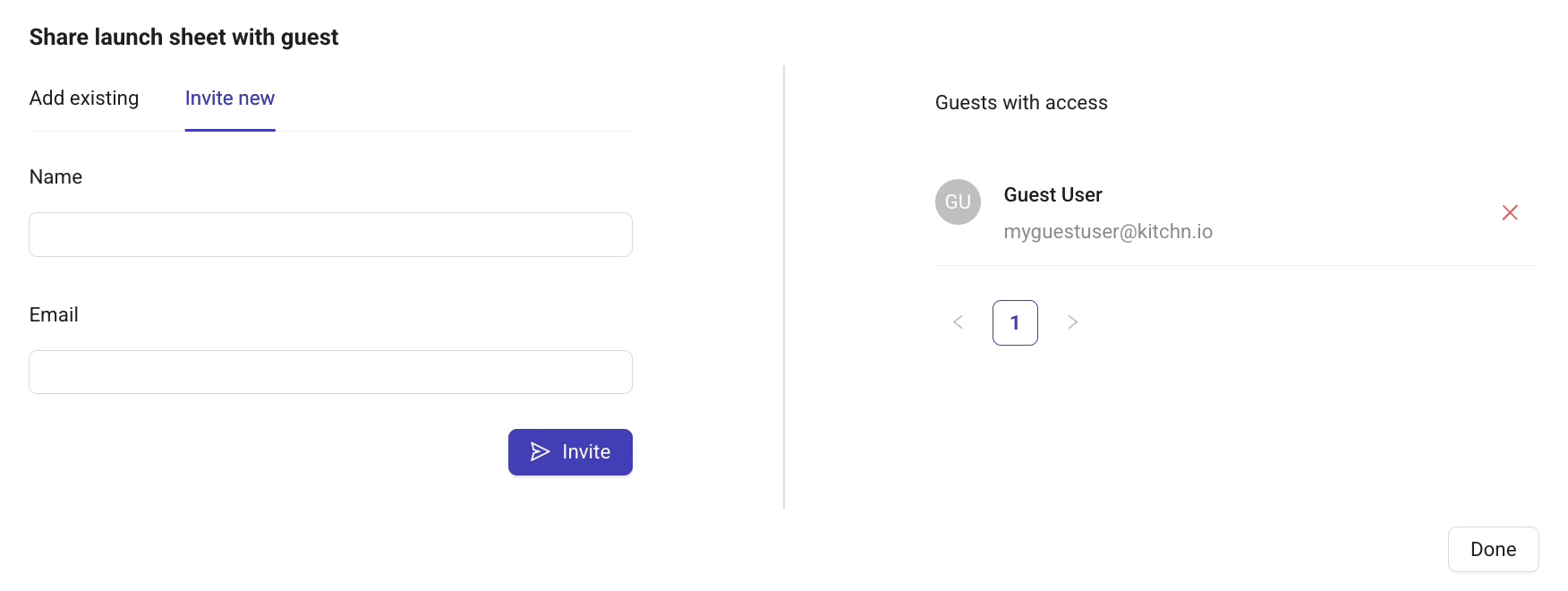
🧩 Planned: Guest Access for Launch Sheets
We're exploring a flexible access model for Launch Sheets. The goal is to help teams collaborate safely with clients, partners, or freelancers without giving full control of launch rights.
Potential use cases this will support
Clients reviewing and approving ads directly inside Kitchn
External partners adding copy or checking creative details
Comment-only or edit-only flows
Restricting launch or specific fields when needed
Every agency works differently: share how you collaborate with clients so we can shape Guest Access around real needs.
🤝🏻 Fill out the Guest Access form →
🧪 Alpha - In Progress
We’re continuing to test new Launch Sheet capabilities built for faster scaling and smarter naming systems:
Unlimited Ads per Sheet
Say goodbye to the 300-item limit. We’re unlocking truly unlimited Launch Sheets so you can manage large-scale accounts in one place.Account Analytics: Ads Published per Month 🔥
We’re tracking the number of ads published per account each month.
This gives teams clearer performance insights reporting tied to creation volume and usage of Kitchn.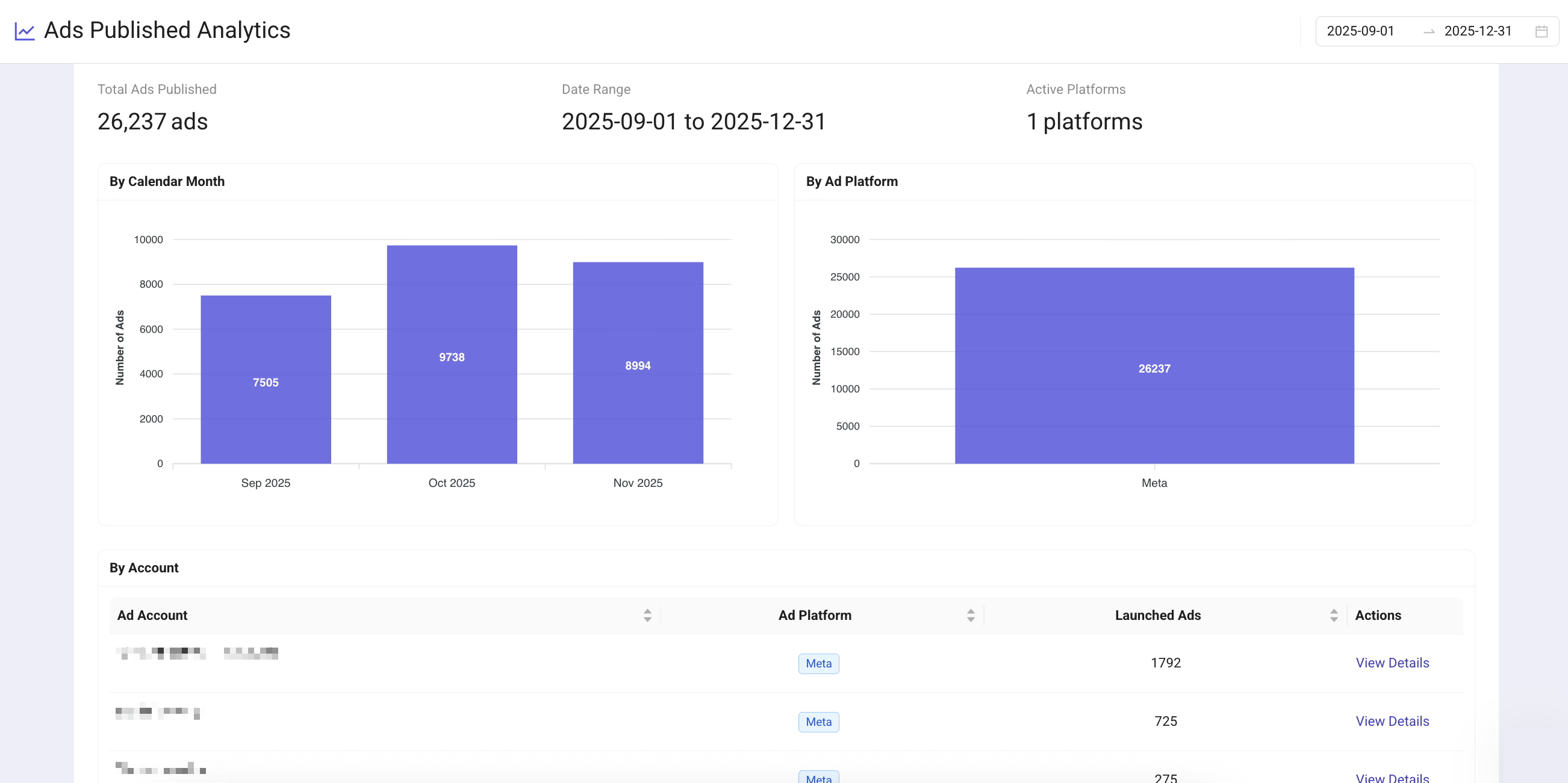
If you’d like early access to test these features, reach out to us! 💬
November Launch Sheet Improvements + Alpha Updates
This new release focuses on small but impactful enhancements to make Launch Sheets smoother, clearer, and more reliable for day-to-day use.
🛠️ Fixes & Improvements
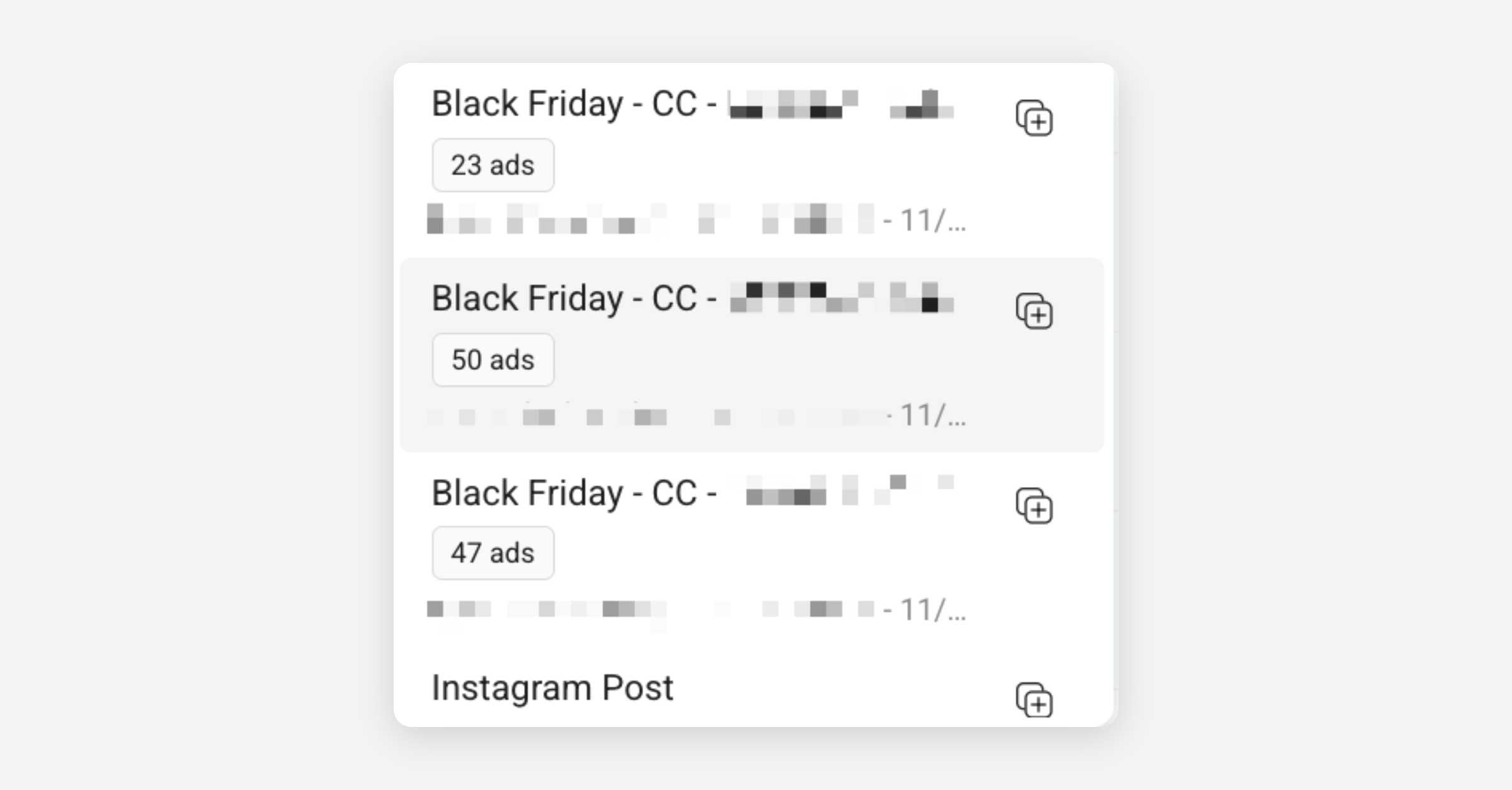
Ad Count Tags for Ad Set Options: When selecting an ad set, you now see how many ads already exist in it. This helps avoid failed launches caused by publishing into ad sets already at the 50-ad limit.
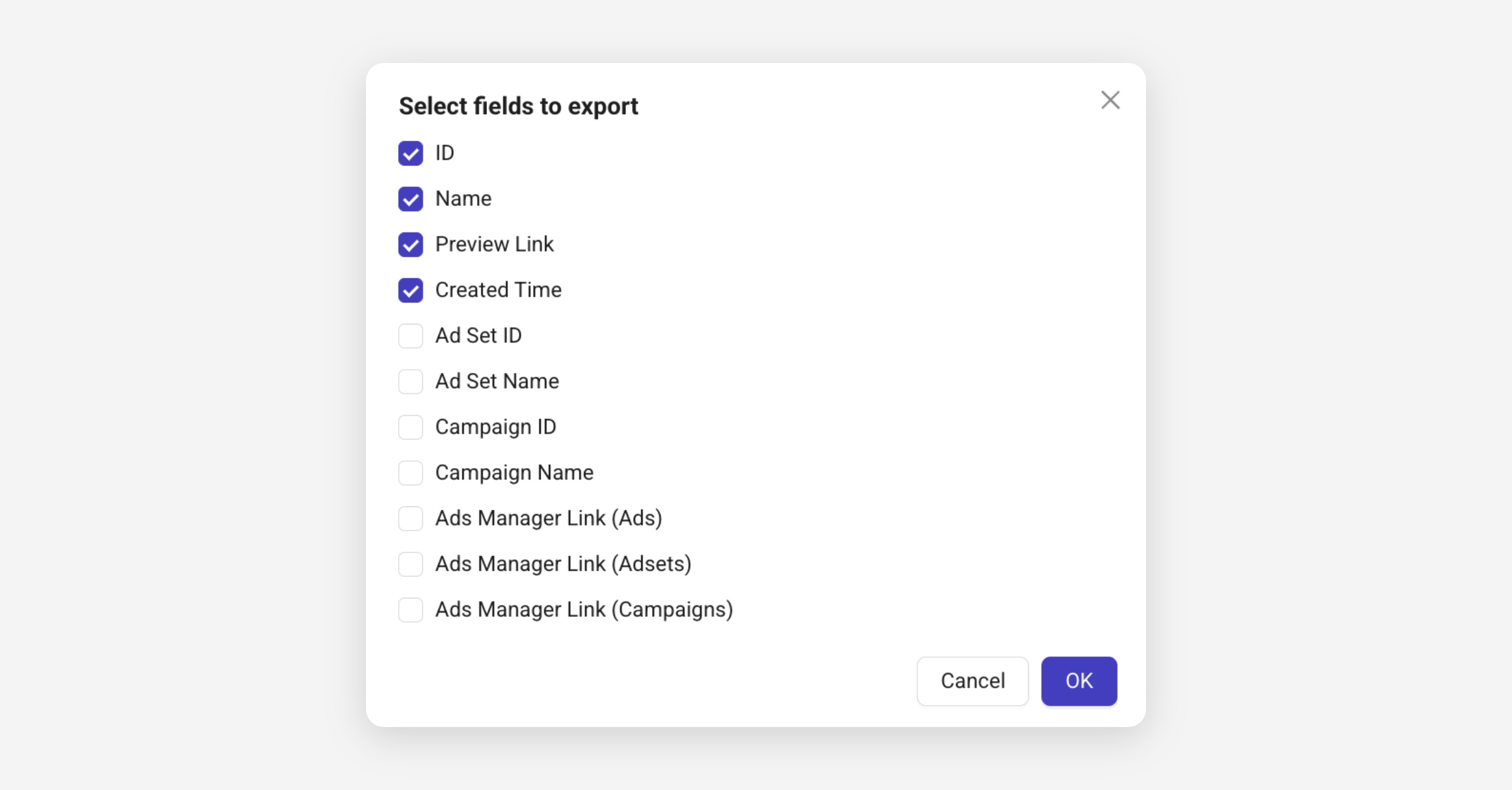
Export Ad Creation Date: You can now export each ad’s launch date along with its ID and preview. Easily track when ads went live without checking Meta or external logs.
Product Set & Catalog Items at Ad Level: You can now set Product Set ID & Catalog Items per ad instead of only at the sheet level. Previously, only collection & carousel ads could use product set & catalog. Now all formats support it. The old “Add Catalog Items” option available as setting in the Creative Enhancements has been removed.
Expanded CTA Mapping: Traffic and Engagement campaigns now support more Meta-approved CTAs such as “Follow Page” and “Visit IG Profile.” This keeps your sheets aligned with Ads Manager & reduces follow-up adjustments.
🧪 Alpha - In Progress
We’re continuing to test new Launch Sheet capabilities built for faster scaling and smarter naming systems:
Meta Creative ID Reuse 🔥
Reuse existing Meta Creative IDs when duplicating or publishing ads to preserve social proof and comments.
🔗 Stop obsessing over Post IDs & Read the blog post →Bulk Ad Set Creation 🔥
Create multiple ad sets from one template ad set in a single action.Custom Columns & Ad Name Template 🔥
Add your own data fields such as Country or Funnel Stage, use them in naming templates, and keep your structure consistent across all campaigns.Unlimited Ads per Sheet
Say goodbye to the 300-item limit. We’re unlocking truly unlimited Launch Sheets so you can manage large-scale accounts in one place.Account Analytics: Ads Published per Month 🔥
We’re tracking the number of ads published per account each month.
This gives teams clearer performance insights reporting tied to creation volume and usage of Kitchn.
If you’d like early access to test these features, reach out to us! 💬
Late October Sprint
💻 Local File Uploads
Upload your creative assets directly from your computer, faster, simpler, and no integration setup required.
If you receive your assets by email or download them from a tool, no extra step is needed
Supports drag-and-drop from desktop
🧩 Manual Promo Codes
You can now manually input promo codes directly in your Launch Sheet.
A new Promo Code column appears automatically when applicable. Correct codes will apply normally; incorrect ones appear as suggestions in Ads Manager
“Kitchn is not able to validate your promo code. You may have to follow additional steps in Ads Manager after ads’ creation.”
🛠️ Fixes & Improvements
Ad Sheet – Asset Grouping
Handles mixed file types more intelligently when organizing creatives
Groups together only when compatible (e.g.
.png + .jpg✅ /.png + .mp4❌)Prevents manual cleanup caused by mismatched filenames
Multi Bulk Edit
Fixed the issue where updating Ad Start Time or End Time via multi-bulk edit didn’t apply consistently
Scheduling changes now save correctly across all selected ads
🧪 Alpha - In Progress
We’re continuing to test new Launch Sheet capabilities built for faster scaling and smarter naming systems:
Meta Creative ID Reuse 🔥
Reuse existing Meta Creative IDs when duplicating or publishing ads to preserve social proof and comments.
🔗 Stop obsessing over Post IDs & Read the blog post →
Bulk Ad Set Creation 🔥
Create multiple ad sets from one template ad set in a single action.Custom Columns & Ad Name Template 🔥
Expand your sheets with your own data fields and add new columns, such as Country, Funnel Stage, or any other relevant information for your team.
Reuse them in naming templates, and keep your structure consistent across every campaign.Unlimited Ads per Sheet
Say goodbye to the 300-item limit; we’re unlocking truly unlimited Launch Sheets so you can manage large-scale accounts in one place.
If you’d like early access to test these features, reach out to us! 💬
Launch Sheet Improvements + Massive Alpha Updates
Some quick improvements for now, but make sure to scroll down, our next big wave of features is already in early Alpha, and they’re going to be game-changers once live.
✨ Small Fixes that make life easier
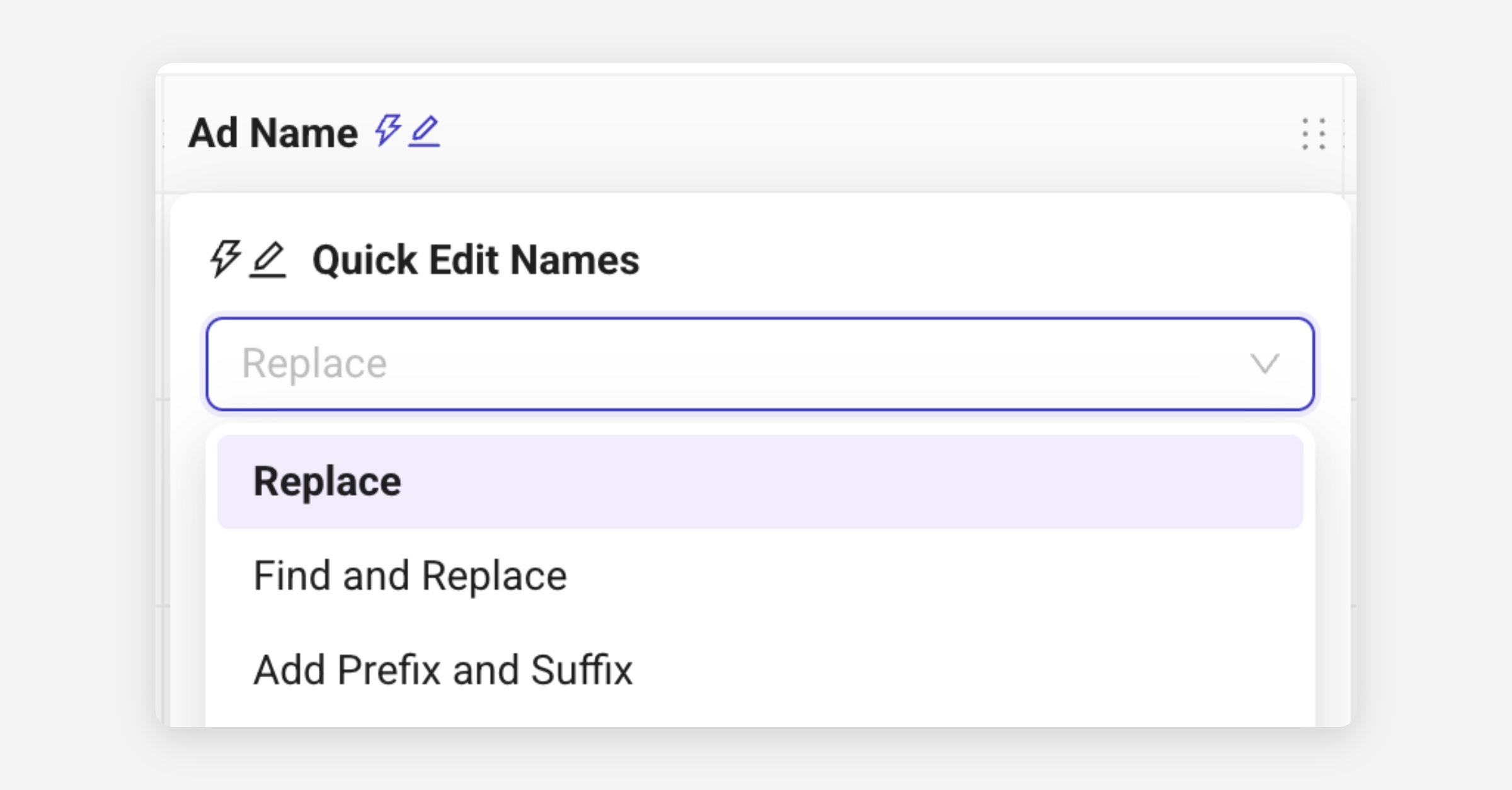
Ad Name Quick Edit Icon⚡ (Beta): Quickly rename or adjust multiple ads directly from the Ad Name column. No need to open the bulk editor. The tool also remembers your last operation, saving extra clicks the next time you edit.
PAC Carousels - Dynamic Smart Crops: Images in PAC Carousels now auto-crop by placement (1:1 for feeds, 9:16 for stories) to prevent “crop not compatible” errors.
HEIC/HEIF uploads supported: You can now upload iPhone photos directly into your ads without conversion.
CTA guardrails: Certain CTA options (like “No Button”) are now disabled when unsupported for awareness objectives, preventing Meta errors before launch.
🧪 Alpha - In Progress
We’re testing a new generation of Launch Sheet features with selected teams. Built to make scaling campaigns & organizing naming conventions faster, smarter, and truly effortless.
These features are in early Alpha, shaped directly by real workflows and your feedback.
Bulk Ad Set Creation 🔥
Create multiple ad sets from one template ad set in a single action.Custom Columns & Ad Name Template 🔥
Expand your sheets with your own data fields, add new columns like Country, Funnel Stage, or anything relevant for your team.
Reuse them in naming templates, and keep your structure consistent across every campaign.Unlimited Ads per Sheet
Say goodbye to the 300-item limit; we’re unlocking truly unlimited Launch Sheets so you can manage large-scale accounts in one place.Local File Uploads Coming soon
Upload assets directly from your computer without connecting Drive, Dropbox, or Frame.io.
If you’d like early access to test these features, reach out to us! 💬
Mid-October Sprint
🆕 Ad Templates 🌟
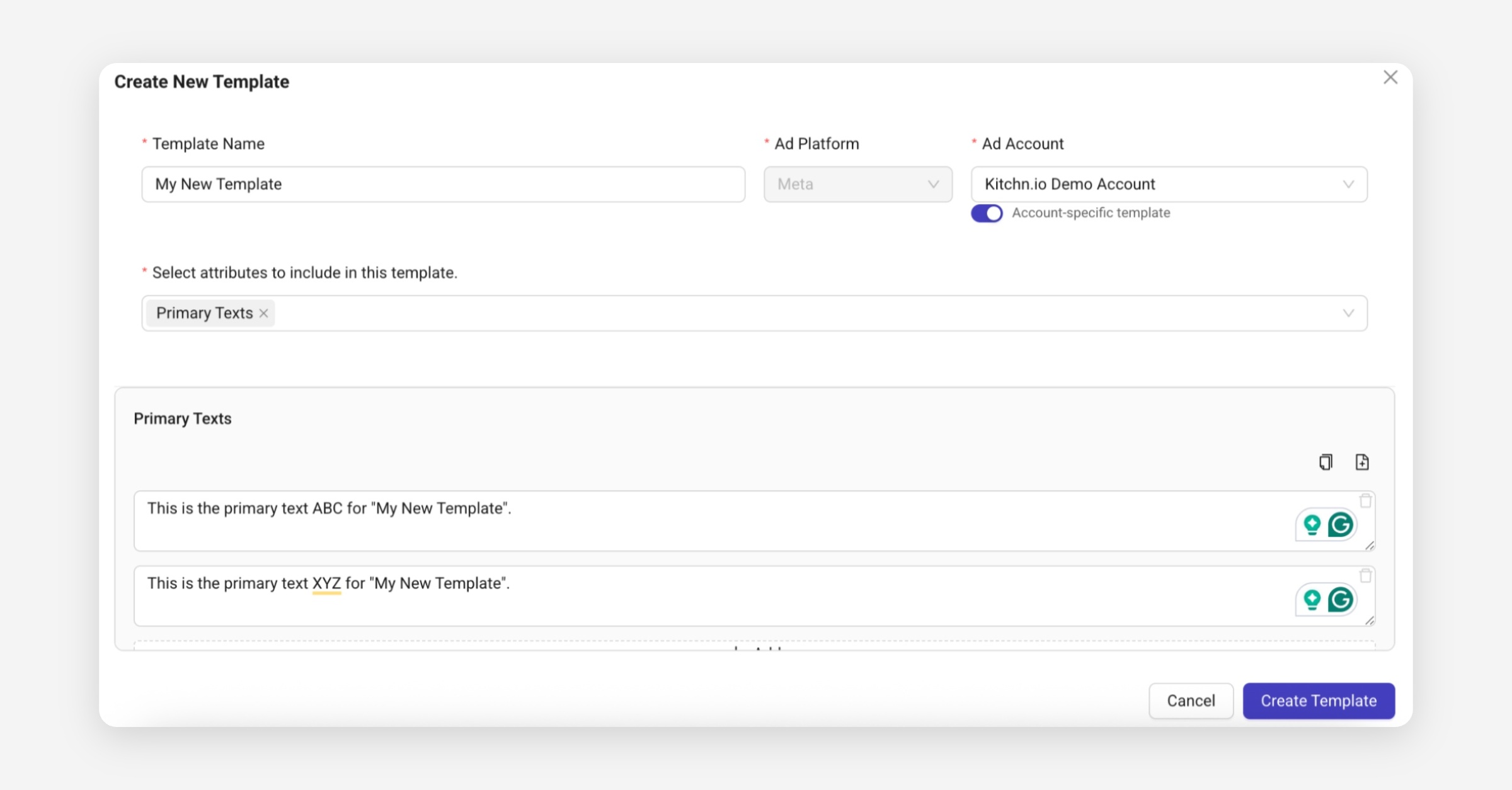
You can now save and reuse any ad components, such as Primary Texts, Headlines or URLs, to speed up your launch process and reduce manual errors.
Create templates directly under Launch → Ad Templates, or from existing ads in a sheet using Create Template from Item.
Once created, apply them in bulk via Bulk Actions → Apply Template to instantly fill your ad fields.
Perfect for managing multiple brands, recurring campaigns or A/B tests.
Ad Actions Improvements
We’ve reorganized how ad actions appear for launched ads:
Open in Ads Manager, Preview, and Copy Ad ID now live directly under the ad name.
Hovering over an ad row reveals these quick actions.
Ad IDs are now clickable and copyable with “Copied” feedback.
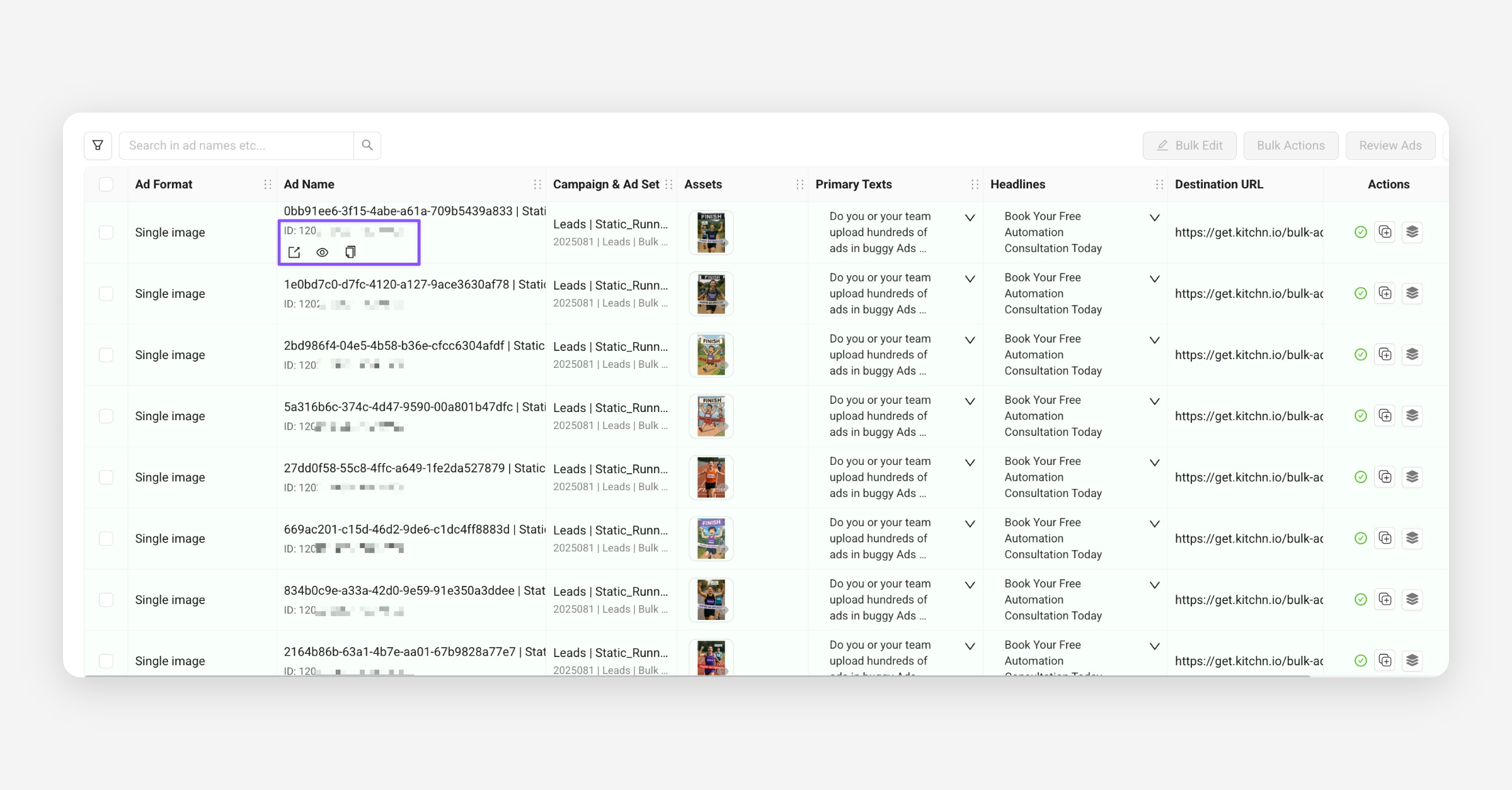
Cleaner, faster, and easier to access where you need them.
Reordered Text Columns
To match Meta’s default order, all new Launch Sheets now display text inputs as:
Primary Texts → Headlines → Descriptions
(previously: Descriptions → Headlines → Primary Texts)
This change improves consistency and simplifies copy & paste between Kitchn and Meta.
Item Selection Updates
Improved row selection and visual highlighting for action cells.
Bulk actions are now easier to apply with clearer feedback.
Smaller Fixes
Fixed layout issues for long ad names and ellipses.
Improved row selection and visual highlighting for the action cell
Bulk actions are now easier to apply with clearer feedback
Minor UI and performance polish across Launch Sheets.
🧪 Alpha | 🚀 Beta Testing
We’re preparing a few upcoming releases currently in early testing:
Unlimited Ads per Sheet: removing the 300-item limit, allowing you to add as many ads as you like.
Local File Uploads: upload files directly from your computer without needing to connect Drive, Dropbox, or Frame.io.
Bulk Ad Set Creation (1 adset per ad): create multiple ad sets from one template ad set in a single action.
If you’d like early access to test these features, reach out to us! 💬
Early September Sprint
Ad Level Scheduling
For NEW Launch Sheets, you can now enable Start & Stop Date columns using the new Table configuration option.
These can be set row by row or in bulk.
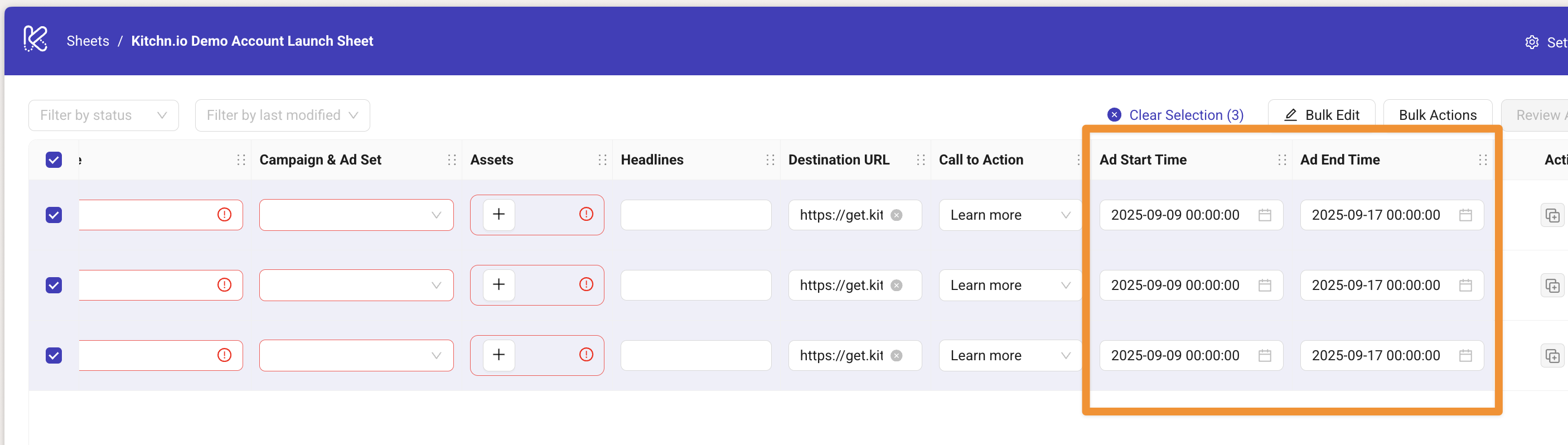
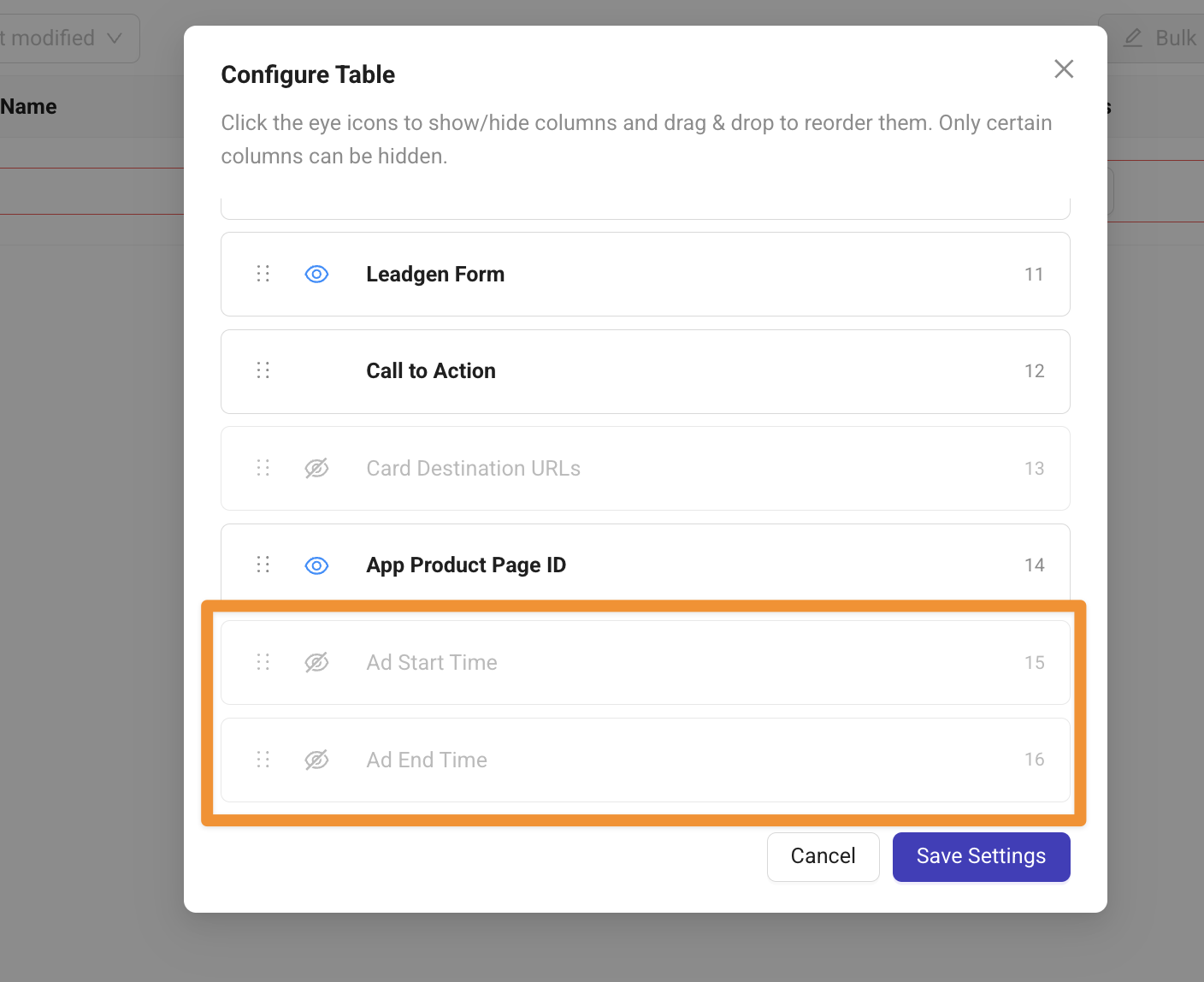
Note: This is a Meta feature, which is only supported for Sales & App Promotion Campaign objectives.
Copy & Paste for Launch Sheets
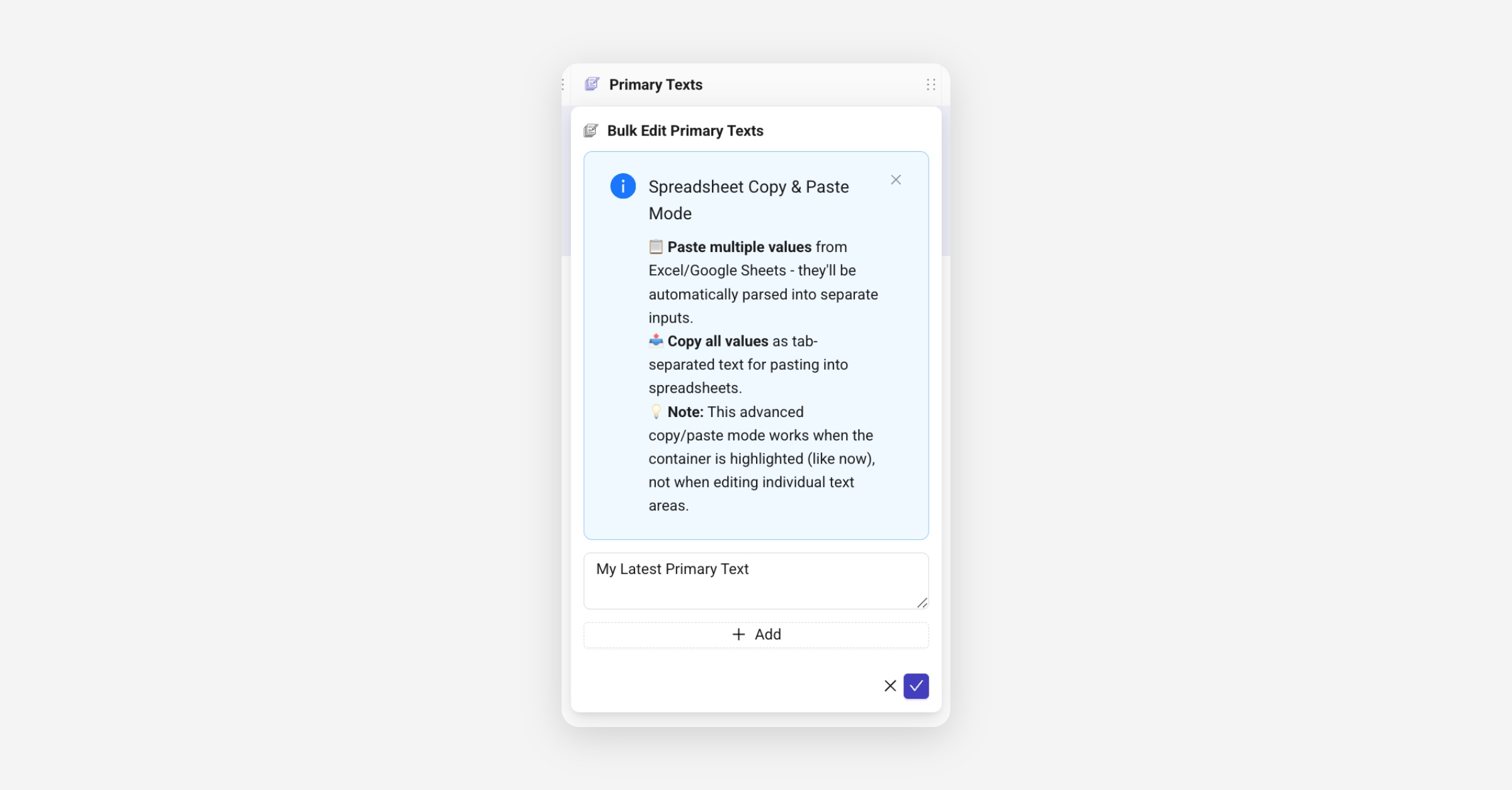
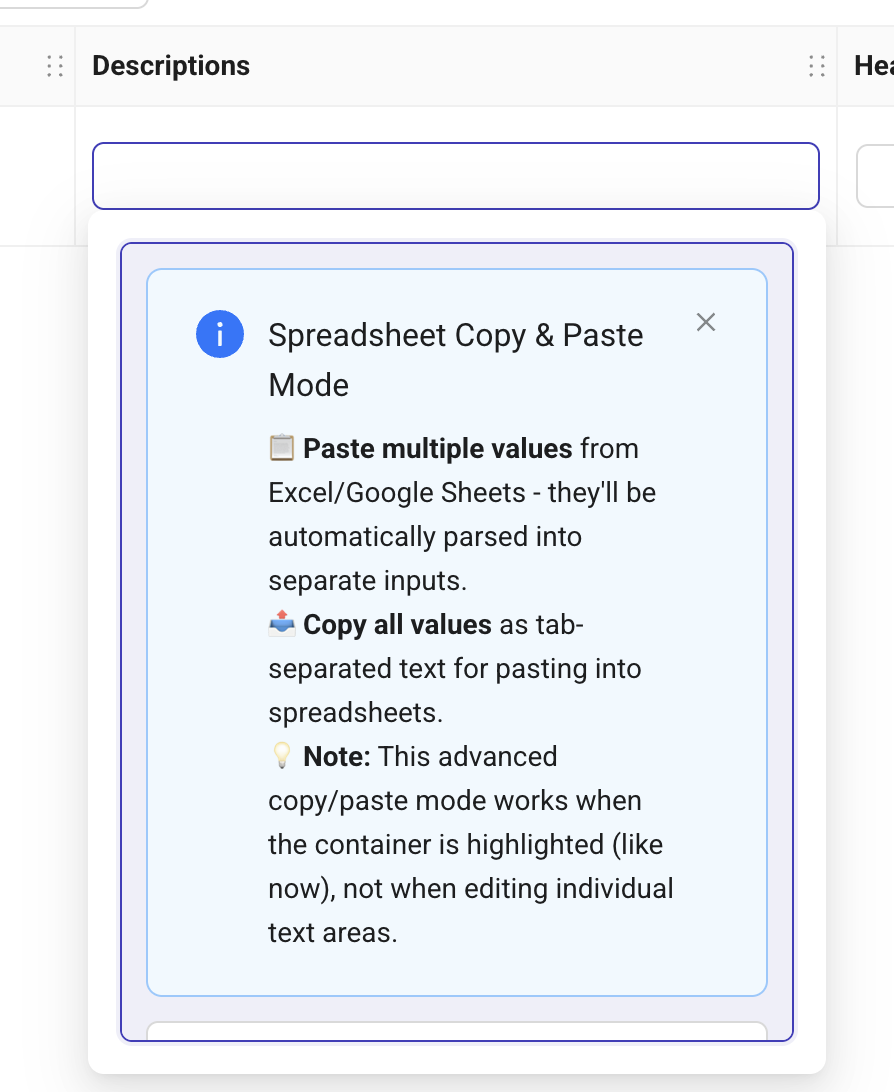
You can now copy and paste multiple entries for fields like Headlines, Descriptions and Primary texts.
This works directly between your Launch Sheets and tools like Google Spreadsheets or Notion.
When you focus a cell and the popover opens, you’ll see new copy & paste buttons (keyboard shortcuts also work).
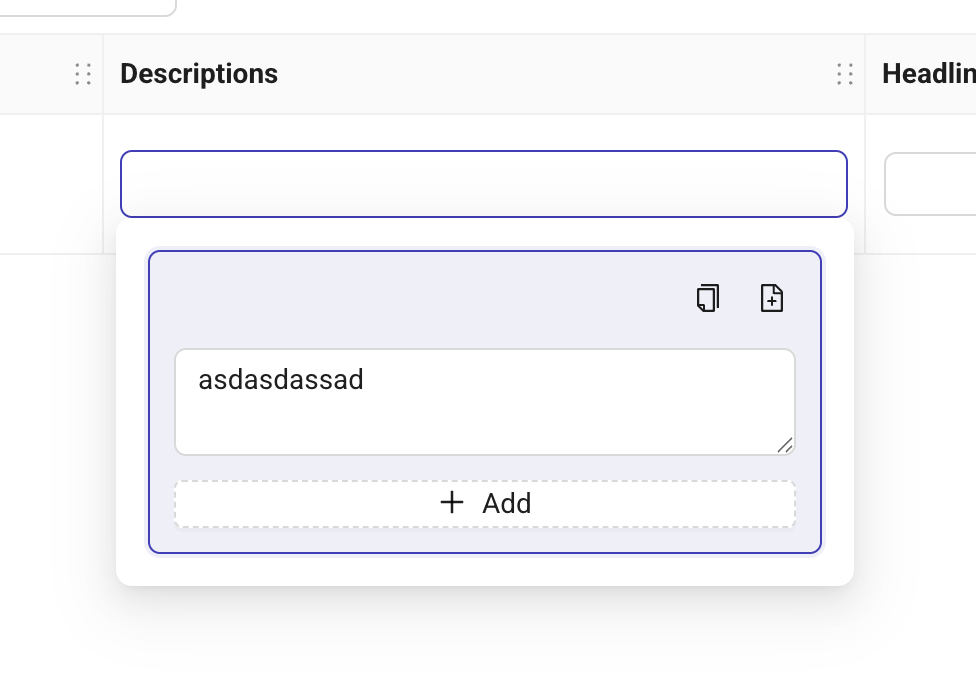
For the first time, a short info guide will appear to show you how it works.
Placement Asset Customization for Carousels
We have finally been able to get approval by Meta and have now published this as a separate ad format called "PAC Carousel".
It works exactly the same way as regular Carousel ads do only that you can add up to 20 assets, where the first half will be used for all Feed placements and the second half for Stories/Reels placements.
CSV Import & Google Sheets Add on
For Enterprise Customers only, we have now enabled the highly requested CSV Import and Google Sheets Add-On feature.
It allows you to copy/paste from a spreadsheet of your choice (Google Sheets, Excel etc.) or you can prepare in Google Sheets and "push" all information to a Kitchn Launch Sheet.
Limitation: Only Google Drive as asset source supported.
API Key required. Reach out to beta-test.
Some Smaller Updates:
Incremental Attribution was not preserved when duplicating Ad Sets but now works reliably
We fixed GIF Previews Error in Launch Sheet
End of August Updates
Usability Updates
Improved Asset Import Flow
You can now navigate backwards within the Import Flow
We added Drag & Drop Asset Reordering in the Bulk Import Adjustment Step (3)
For Custom Asset Pickers (Frame.io, Frontify, Iconik etc.) you can now "Select All" assets within a folder
Improved Columns
You can now modify which columns you want to see via the Table Customization Button & Pop-up
Column widths is now persistent for each Sheet
Scrollbar now stays visible at all times
You can now export Ads Manager Links on ad, adset & campaign level as part of the Bulk Actions > Export
Ad Templates are now out in beta
Meta Features
Support for more Creative Enhancements
Translate text
Add details to ad layout
Hide Price"
Offline Events Tracking can be added in addition to Pixel tracking under Advanced Settings > Tracking
New Creative Asset Storage Integrations
Iconik
Frontify