
Kitchn changelog
Early September Sprint
Ad Level Scheduling
For NEW Launch Sheets, you can now enable Start & Stop Date columns using the new Table configuration option.
These can be set row by row or in bulk.
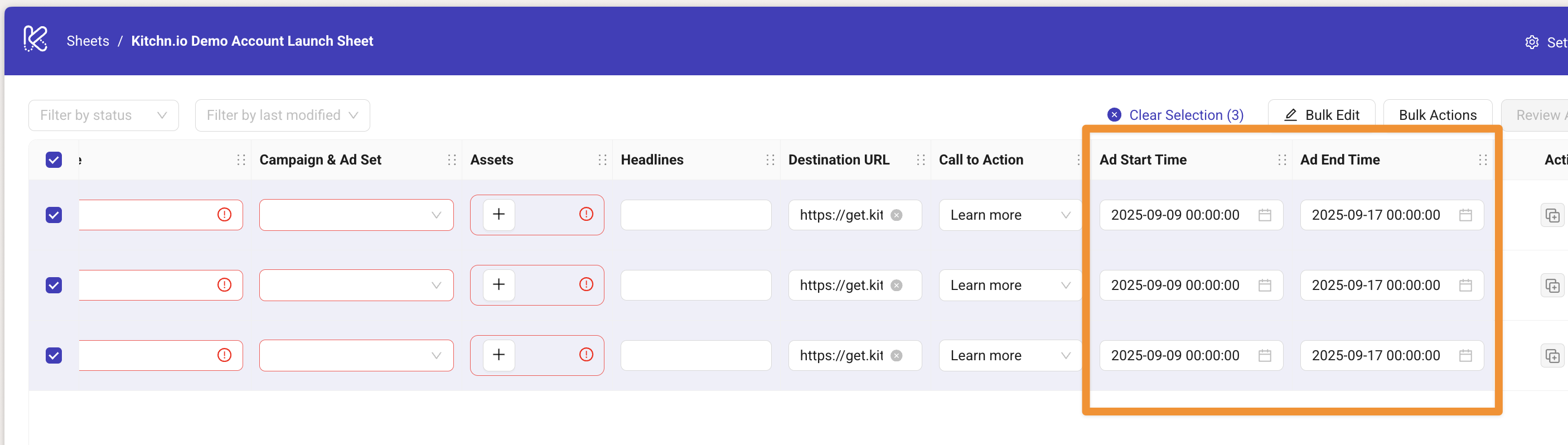
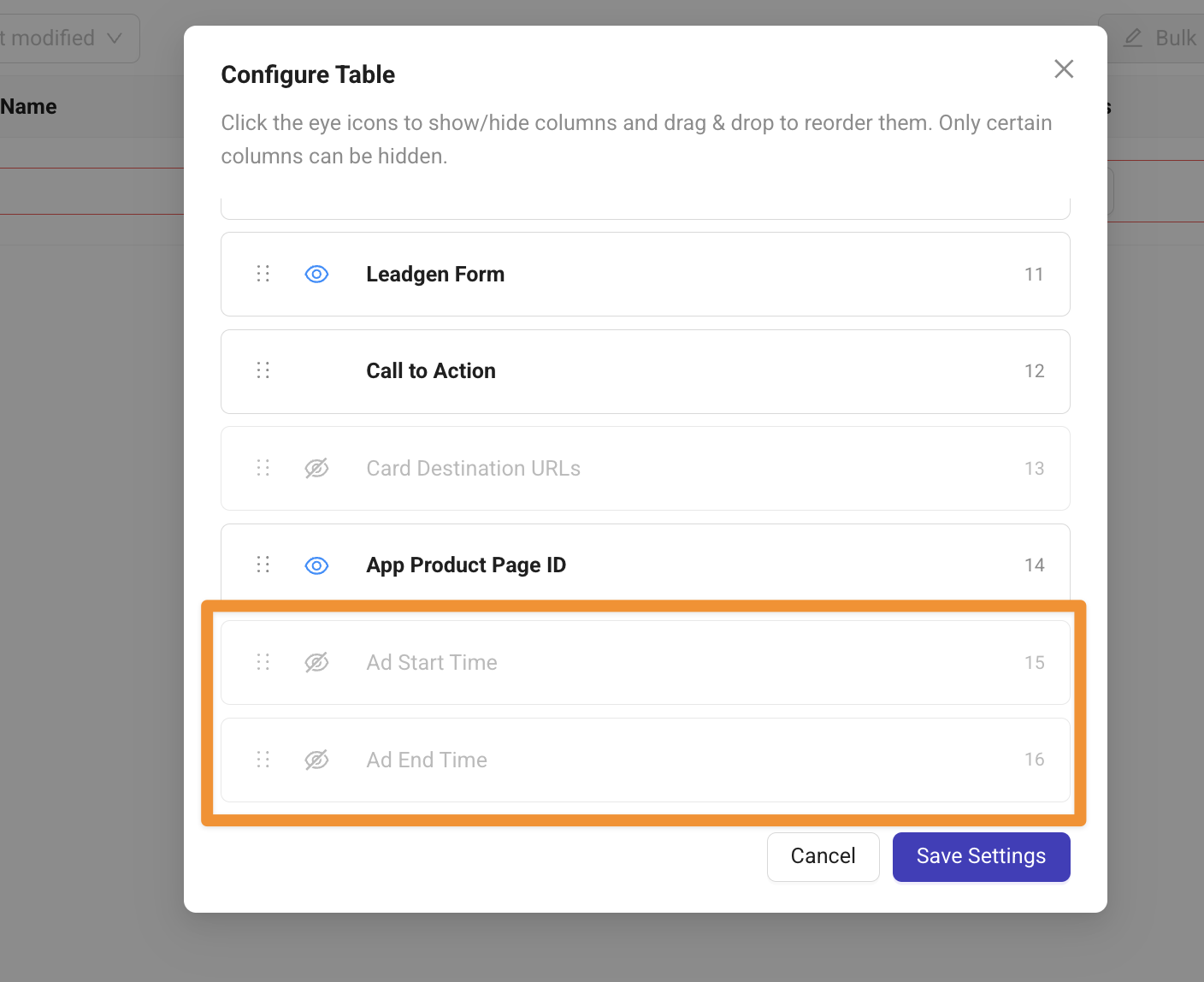
Note: This is a Meta feature, which is only supported for Sales & App Promotion Campaign objectives.
Copy & Paste for Launch Sheets
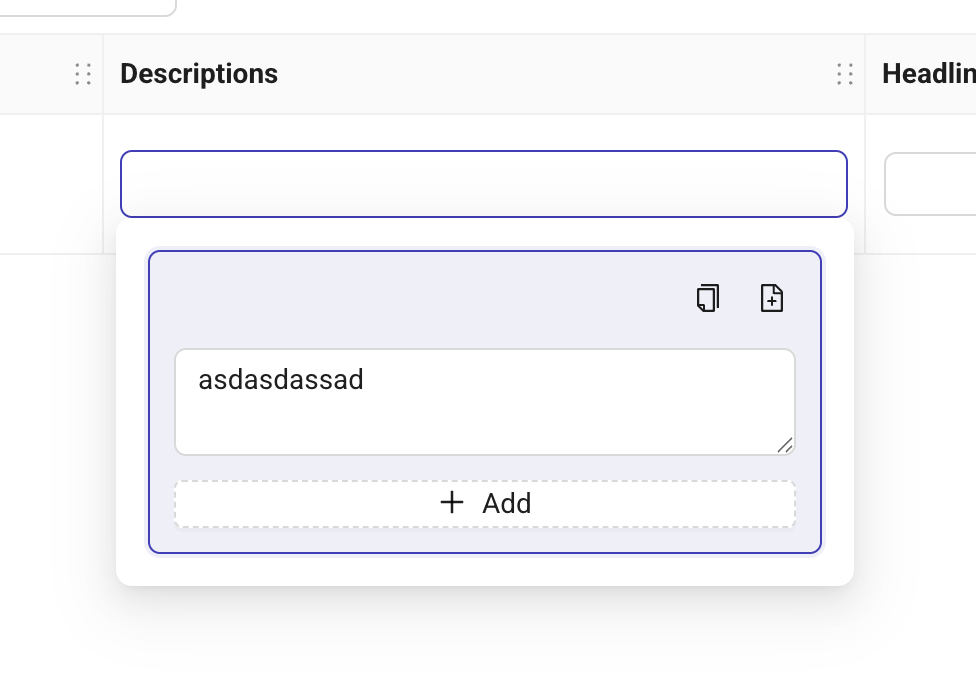
You can now copy and paste multiple entries for fields like Headlines, Descriptions and Primary texts.
This works directly between your Launch Sheets and tools like Google Spreadsheets or Notion.
When you focus a cell and the popover opens, you’ll see new copy & paste buttons (keyboard shortcuts also work).
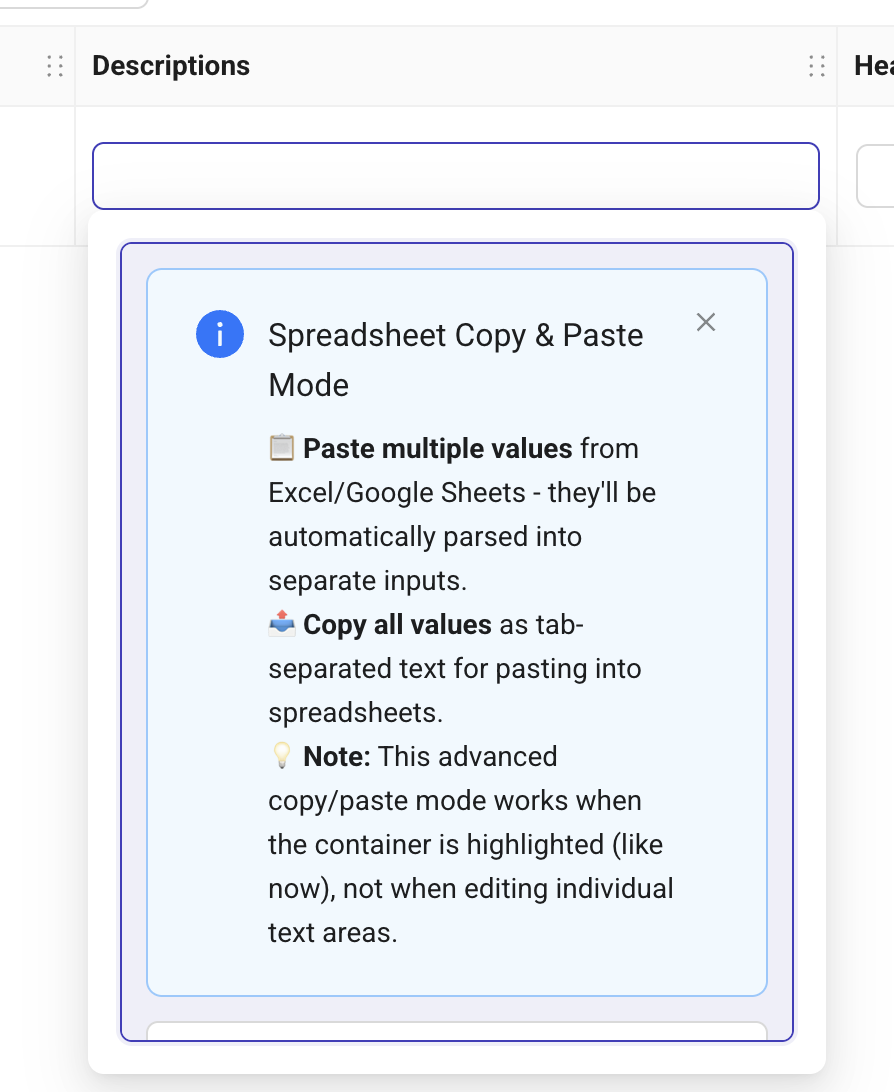
For the first time, a short info guide will appear to show you how it works.
Placement Asset Customization for Carousels
We have finally been able to get approval by Meta and have now published this as a separate ad format called "PAC Carousel".
It works exactly the same way as regular Carousel ads do only that you can add up to 20 assets, where the first half will be used for all Feed placements and the second half for Stories/Reels placements.
CSV Import & Google Sheets Add on
For Enterprise Customers only, we have now enabled the highly requested CSV Import and Google Sheets Add-On feature.
It allows you to copy/paste from a spreadsheet of your choice (Google Sheets, Excel etc.) or you can prepare in Google Sheets and "push" all information to a Kitchn Launch Sheet.
Limitation: Only Google Drive as asset source supported.
API Key required. Reach out to beta-test.
Some Smaller Updates:
Incremental Attribution was not preserved when duplicating Ad Sets but now works reliably
We fixed GIF Previews Error in Launch Sheet