
Kitchn changelog
Mid-October Sprint
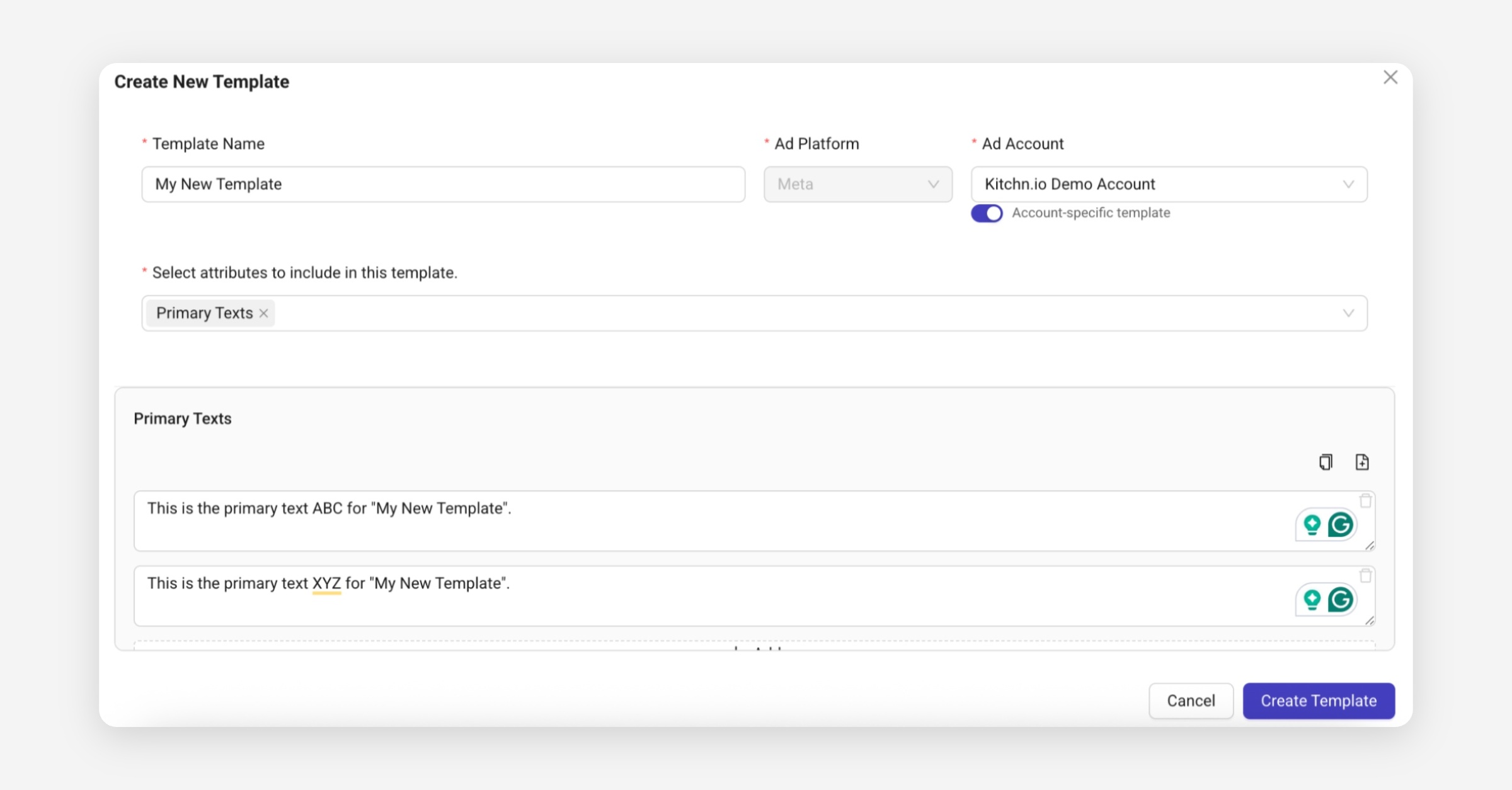
🆕 Ad Templates 🌟
You can now save and reuse any ad components, such as Primary Texts, Headlines or URLs, to speed up your launch process and reduce manual errors.
Create templates directly under Launch → Ad Templates, or from existing ads in a sheet using Create Template from Item.
Once created, apply them in bulk via Bulk Actions → Apply Template to instantly fill your ad fields.
Perfect for managing multiple brands, recurring campaigns or A/B tests.
Ad Actions Improvements
We’ve reorganized how ad actions appear for launched ads:
Open in Ads Manager, Preview, and Copy Ad ID now live directly under the ad name.
Hovering over an ad row reveals these quick actions.
Ad IDs are now clickable and copyable with “Copied” feedback.
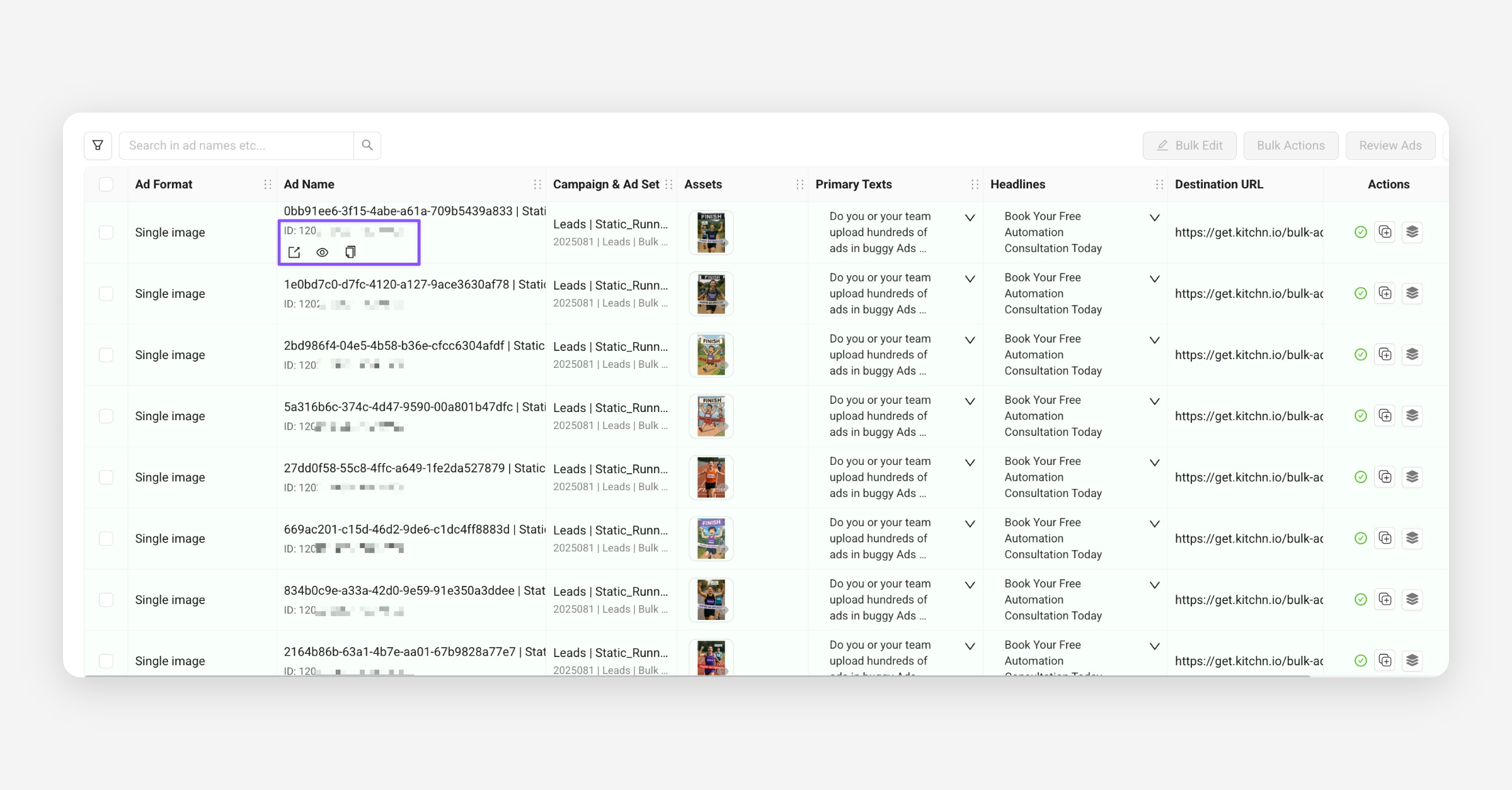
Cleaner, faster, and easier to access where you need them.
Reordered Text Columns
To match Meta’s default order, all new Launch Sheets now display text inputs as:
Primary Texts → Headlines → Descriptions
(previously: Descriptions → Headlines → Primary Texts)
This change improves consistency and simplifies copy & paste between Kitchn and Meta.
Item Selection Updates
Improved row selection and visual highlighting for action cells.
Bulk actions are now easier to apply with clearer feedback.
Smaller Fixes
Fixed layout issues for long ad names and ellipses.
Improved row selection and visual highlighting for the action cell
Bulk actions are now easier to apply with clearer feedback
Minor UI and performance polish across Launch Sheets.
🧪 Alpha | 🚀 Beta Testing
We’re preparing a few upcoming releases currently in early testing:
Unlimited Ads per Sheet: removing the 300-item limit, allowing you to add as many ads as you like.
Local File Uploads: upload files directly from your computer without needing to connect Drive, Dropbox, or Frame.io.
Bulk Ad Set Creation (1 adset per ad): create multiple ad sets from one template ad set in a single action.
If you’d like early access to test these features, reach out to us! 💬